Cameras in a parent's home: consent and privacy in Canada
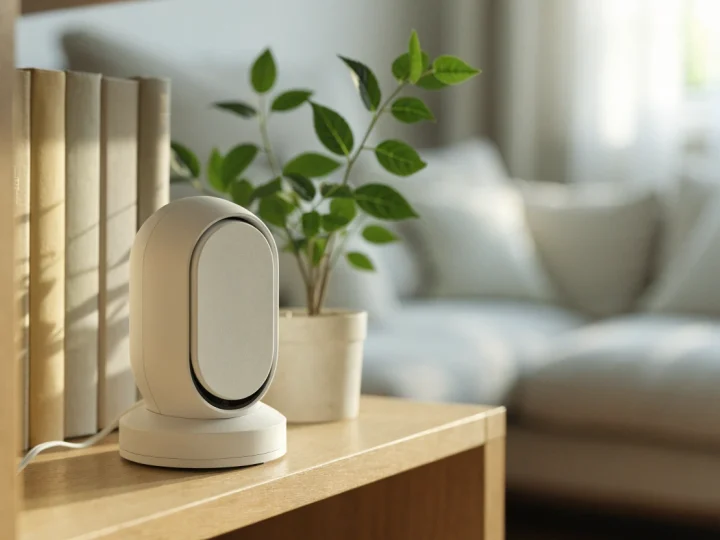
When a camera in an aging parent's home helps, why their consent comes first, what Canadian law says about recording, and how to set one up with respect.
This article is general information, not medical advice. For advice about your own situation, talk to a doctor, occupational therapist, physiotherapist or other qualified professional. In an emergency, call 911.
Quick answer
A camera can help you check that a parent is up and about, or see what happened after a fall. But it watches a person in their own home, so their consent comes first. Talk with your parent before you buy anything, and respect a no. In Canada, the Criminal Code makes it an offence to record private conversations without the consent of someone taking part [1] [2]. Several provinces also let a person sue over surveillance in their home, and consent is a defence [10] [11] [12] [13]. A visible camera that your parent agreed to, placed away from the bathroom and bedroom, with the people who visit told about it, is the respectful way to do it.
This article is general information, not legal advice. For your own situation, talk to a lawyer or your province’s privacy office.
Before you buy a camera
Start with the problem you want to solve. A camera is one answer, and often not the gentlest one. If the worry is a fall, a medical alert system lets your parent call for help themselves. If the worry is getting up at night, night lights may do more than a camera can. We cover the alternatives below.
If a camera still makes sense, the conversation comes before the purchase.
Talk with your parent first. Say what worries you, and what the camera would and wouldn’t do. Ask where they would accept one, when it would be on, and who could look at it. Listen to what they want in return. Some people are fine with a camera in the hallway or by the front door, and not in the living room where they read and nap.
Your parent can say no. It’s their home. An adult can decline a camera, even if you think it would help. Consent also matters in law. The Criminal Code’s rule on recording private conversations has an exception for consent [1], and the provincial privacy laws described below treat consent as a defence [10] [11] [12] [13].
When memory or decision-making is impaired. Someone with dementia may not be able to weigh the choice, or may forget they agreed. Involve the person who is legally allowed to make personal-care decisions for them, such as someone your parent named in a power of attorney for personal care. The name for this role and the paperwork differ by province. Involve your parent’s doctor too, and still explain the camera to your parent in simple terms, more than once if needed. If you are not sure who can decide, or whether anyone can, talk to a lawyer. A camera used to replace care that a person needs is a sign to talk to their doctor or care coordinator about more help at home.
What the law says in Canada
No single Canadian law is written for family cameras. Several laws touch them. The sections below give the wording that matters, in plain terms. Each one links to the law itself.
Alternatives that are less intrusive
A camera is not the only way to know that a parent is all right. These options give you some of the same reassurance with far less watching:
- A medical alert system. Your parent presses a button to call for help, and some devices can detect a fall. Our guide to medical alert systems in Canada compares plans and fees.
- Motion-sensor night lights. They light the path to the bathroom at night. See our guide to night lights and falls at night.
- Motion sensors and smart plugs. A motion sensor can tell an app that someone walked through the hall this morning. A smart plug on the kettle or the bedside lamp can show that it was switched on. Neither records a picture or a sound.
- A daily check-in call. A phone call at the same time each day, with a plan for what to do if there is no answer, costs nothing and respects privacy completely.
- A key lock box and a trusted neighbour. If the worry is getting in after a fall, a lock box with a house key, and a neighbour who can look in, may be enough.
The Privacy Commissioner’s business guidelines put it simply: determine “whether a less privacy-invasive alternative to video surveillance would meet your needs” [8].
Setting it up with respect
If your parent agrees to a camera, these steps keep it respectful. Print the list and go through it together.
Camera agreement: what we decided together
From simpleaging.com. This checklist is general information, not medical advice.
Where and when
- The camera goes in a shared space your parent chose, such as the front hall or the kitchen. Never in the bathroom, and not in the bedroom unless your parent asks for it there.
- The camera is in plain view, not hidden. Your parent knows where it is and what it looks like.
- We agreed when it is on. Some families keep it off during the day and on at night, or on only when no one else is home.
- We agreed whether sound is recorded, or whether the microphone stays off.
Who can see
- We listed who can open the app and watch, and who cannot.
- Each person has their own sign-in with a strong password, and two-step sign-in is turned on.
- Visitors and care workers are told about the camera before they come, and the home-care agency has it in writing.
- We agreed what happens if someone asks for the camera to be turned off while they visit.
Recordings
- We know where recordings are kept: on a memory card in the camera, or on the company’s servers.
- We agreed how long recordings are kept, and who deletes them.
- Recordings are not shared with anyone outside the people listed, except in an emergency.
- When the camera is no longer needed, the account and the recordings are deleted.
Reviewing
- We wrote down what we agreed and both kept a copy, with the date.
- We will talk about it again in a few months, and the camera comes down if my parent wants it to.
Several of these points come from the Privacy Commissioner’s advice on smart devices. Favour devices that show when they are recording. Change the default password. Delete the data and the account when you stop using the device [7].
Features to compare
- A privacy shutter or lens cover. A physical cover over the lens shows everyone in the room that the lens is blocked. On some models a cover slides over the lens by hand [18]. On others a privacy mode in the app turns the lens downward or stops all recording [17] [19] [23]. Google’s camera in our table has neither; a green light shows when it is processing or streaming video [20].
- Where recordings are kept. Some cameras can record to a memory card inside the camera, so the recordings stay with the camera. The maker’s cloud plan is an extra [16] [17]. Others send video to the maker’s servers. Apart from a short free history on some models, reviewing past video needs a paid plan [18] [19] [20].
- Whether a subscription is needed. Check what works without a plan. On cloud cameras, live view usually works for free, but saved video history is part of the subscription [18] [19] [20].
- A microphone you can turn off. Two-way talk lets you speak through the camera, which can be reassuring. It also means a microphone. Check that you can switch it off. On one camera in our table, the microphone stays on when the lens cover is closed [18].
- Privacy zones. Some apps let you black out part of the picture, such as a doorway to a bathroom [18].
- Two-step sign-in and updates. Look for a maker that offers two-step verification and automatic security updates [20] [21].
- Pan and tilt. A camera that turns to follow movement sees more of a room. That is useful in a hallway and intrusive in a living room.
Where to buy an indoor camera
Electronics stores, hardware stores and online stores sell indoor cameras across Canada and the US. The table lists cameras whose makers publish how they handle privacy and recordings. The details come from each maker’s own page, linked in the sources. We read them on October 12, 2026. We haven’t tested the cameras.
| Option | Where recordings are kept | Privacy cover or mode | Two-way talk | Sold in | Where to buy |
|---|---|---|---|---|---|
| TP-Link Tapo C120 [16] [23] | Memory card in the camera, or optional cloud plan | Privacy mode in the app stops all video and audio streaming and recording. No lens cover listed | Yes | Canada and US | See it at Amazon: TP-Link Tapo C120 (opens in a new tab) |
| Wyze Cam Pan v3 [17] | Memory card in the camera, or optional cloud plan | Privacy mode in the app: the camera points straight down and turns off | Yes | Canada and US | See it at Amazon: Wyze Cam Pan v3 (opens in a new tab) |
| Ring Indoor Cam 2K [18] | Cloud, with a paid plan for video history | Removable lens cover you slide by hand. Microphone stays on unless turned off in the app | Yes. Saving or reviewing video needs a Ring subscription | Canada and US | See it at Amazon: Ring Indoor Cam 2K (opens in a new tab) |
| Arlo Essential Pan Tilt Indoor (2025) [19] | Cloud, with a paid plan for video history | Privacy state when disarmed: the camera faces down, stops detecting motion and turns off its microphone | Yes. Live view and basic alerts work without a plan; video history needs an Arlo Secure plan | Canada and US | See it at Amazon: Arlo Essential Pan Tilt Indoor (2025) (opens in a new tab) |
| Google Nest Cam Indoor (wired, 3rd gen) [20] [21] | Cloud, with a paid plan for video history | No cover listed by the maker. A green light shows when it is processing or streaming video | Yes. 6 hours of short event previews included; longer history needs Google Home Premium | Canada and US | See it at Google Store: Google Nest Cam Indoor (wired, 3rd gen) (opens in a new tab) |
Details are the makers' own wording. Memory cards are sold separately. Plans and prices change often, so check before you buy.
A few details from the makers’ pages, in their own words. Tapo lists a microSD card slot of up to 512 GB on the C120, and its cloud storage as “Subscription required” [16]. It says its Privacy Mode “lets you disable all video and audio streaming and recording” [23]. Wyze says that in privacy mode its Pan v3 “spins and points 180° straight down” and turns off [17]. Ring says its Indoor Cam 2K comes with a lens cover, and that without a subscription “you won’t be able to review any videos or images you missed, and you won’t be able to save your videos” [18]. Arlo says its Pan Tilt Indoor camera “enters a privacy state when the system is in standby or arm home mode.” In that state it moves “to a downward-facing position,” stops motion detection and turns off its microphone. Arlo also says “live streaming and basic alerts work without a subscription” [19]. Google says its Nest Cam Indoor includes “6 hours of event video previews” with clips up to 10 seconds, and that “a green LED lets you know when the camera is processing or streaming video” [20] [21].
Costs and funding for home cameras
Camera prices change often, so check the listing. Google lists its camera at C$129.99 on its Canadian store [20]. The running cost is the subscription. Google lists its plans in Canada at C$13 a month for 30 days of event history, or C$26 a month for 60 days of event history and 10 days of continuous recording [20]. Ring and Arlo also sell plans; check the maker’s page for current prices [18] [19]. Tapo and Wyze sell cloud plans too, but their cameras can also record to a memory card [16] [17].
Questions to ask
Your parent
- What worries you about being alone at home? What would help you feel safer?
- Would you accept a camera anywhere? Where, and when?
- Who do you want to be able to see it, and who not?
- Do you want to be able to switch it off yourself?
Your siblings and family
- Do we all agree on why we want a camera, and what we would do with what we see?
- Who checks it, and how often? Who responds if something looks wrong?
- What’s our plan if our parent changes their mind?
The home-care agency
- Do you have a policy on cameras in clients’ homes? Do you need notice or written consent?
- Will your workers be told before their first visit?
- Can the camera be off during personal care?
A lawyer or your province’s privacy office
- Who can consent to a camera if my parent can’t decide for themselves?
- Does my province have a Privacy Act, and what does it say about surveillance in a home?
- Does recording sound change anything?
Safety and privacy notes
Never in the bathroom or where a person undresses. The Criminal Code’s voyeurism section covers secretly observing or recording a person in a place where they can reasonably be expected to be nude [4]. A camera there is not a grey area.
Keep the microphone off unless everyone has agreed. Recording private conversations without the consent of someone taking part is an offence under section 184 of the Criminal Code [1]. With audio off, no conversations are recorded.
A camera doesn’t call for help. It shows you what happened, if someone is watching. The cameras in our table don’t detect falls or call anyone. If the worry is a fall or a medical event, look at a medical alert system first.
Protect the account. Use a unique password and two-step sign-in, keep the app and camera updated, and delete the account and recordings when the camera comes down [7].
Watch for a parent who seems to be managing less well. A camera can show you a problem, but it can’t solve one. If you notice confusion, falls or a parent not eating, talk to their doctor. An occupational therapist can look at the home and suggest changes that keep your parent safer without anyone watching.